
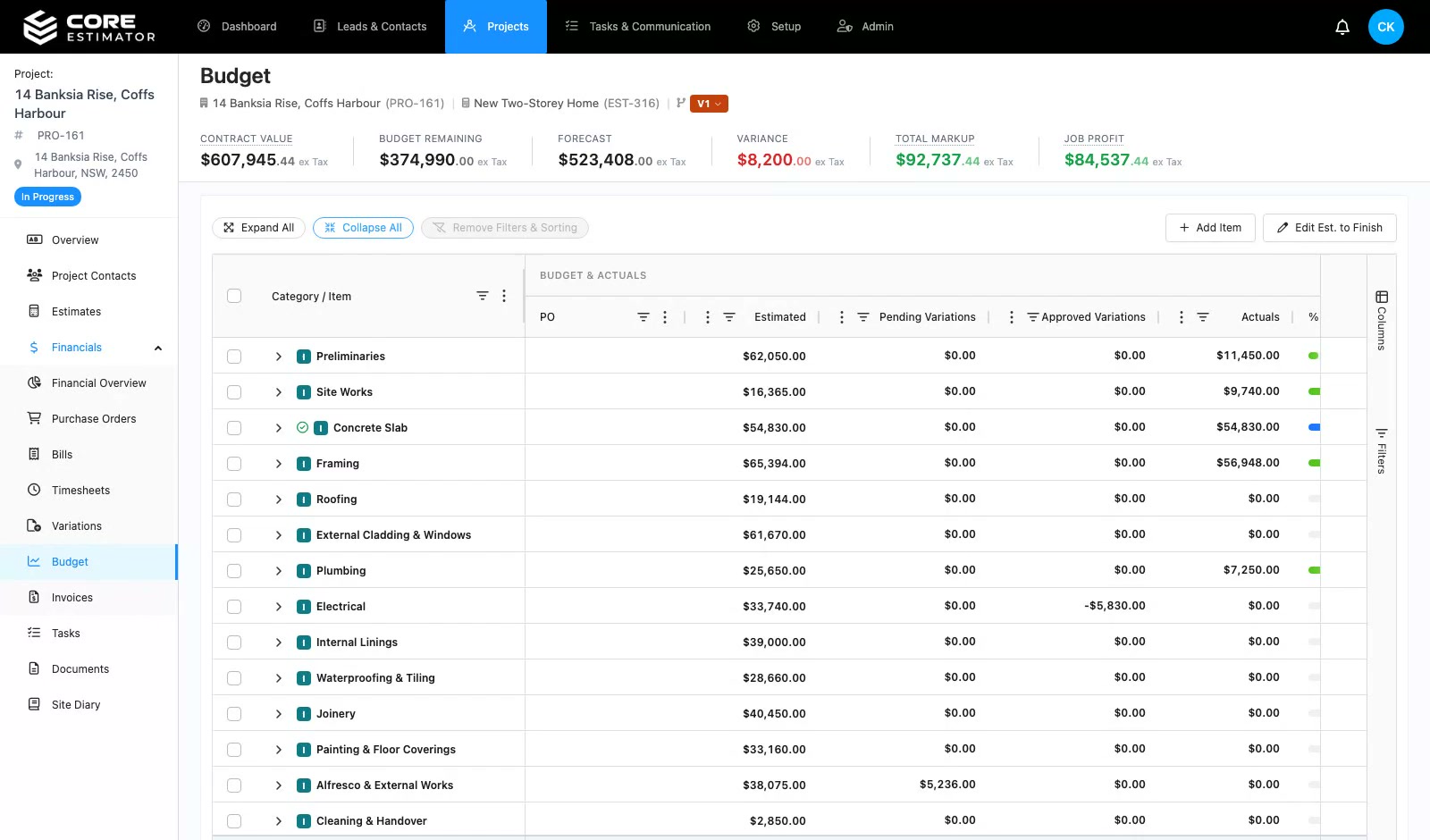
"Our business requires a very smart estimating package for detailed architectural homes, and Core Estimator delivers this in spades."
Mark Loader — Director, Bricon PTY LTD
Financials
Price a change against the budget, send it to the client to approve online, and the approved amount flows into the contract value, the budget and your next claim.
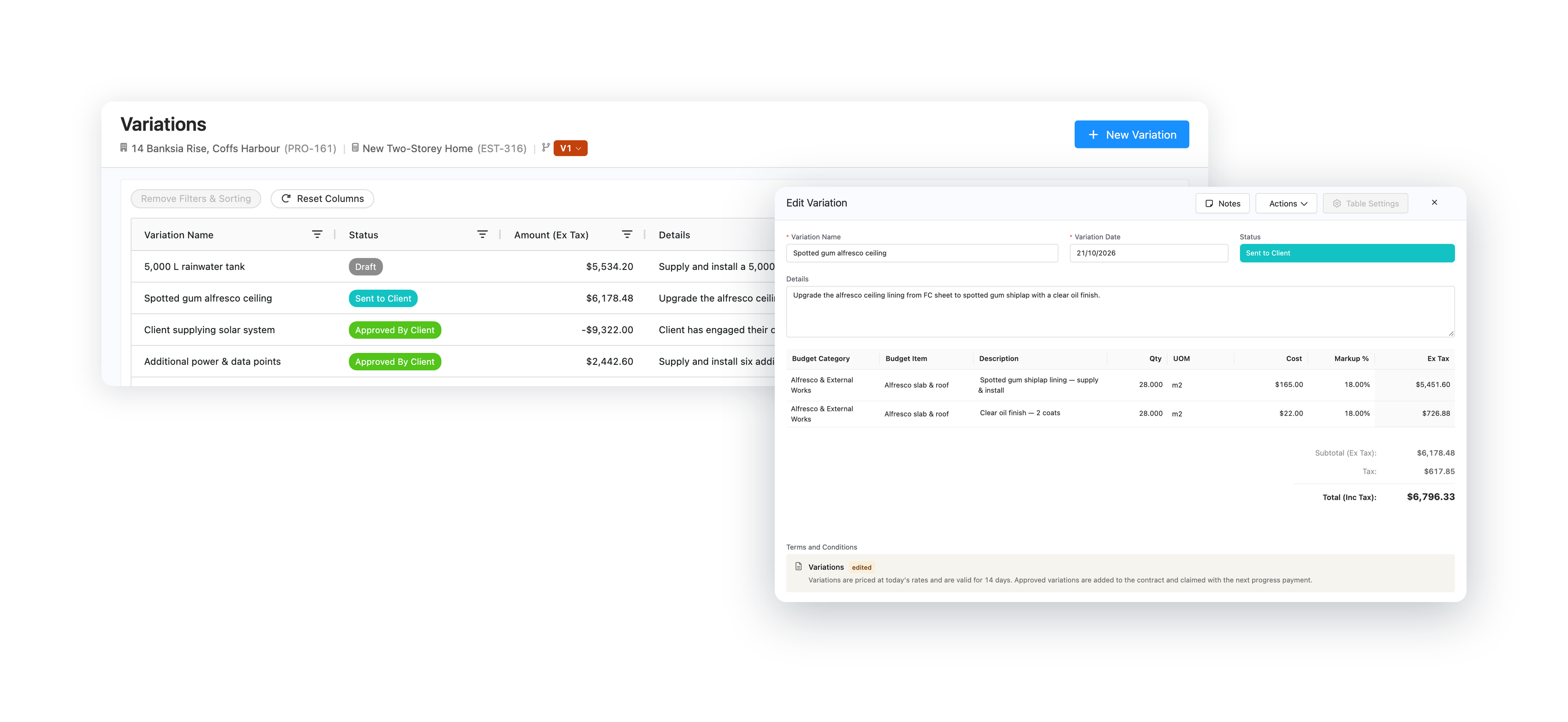
Price
Approve
Flow
See it in action
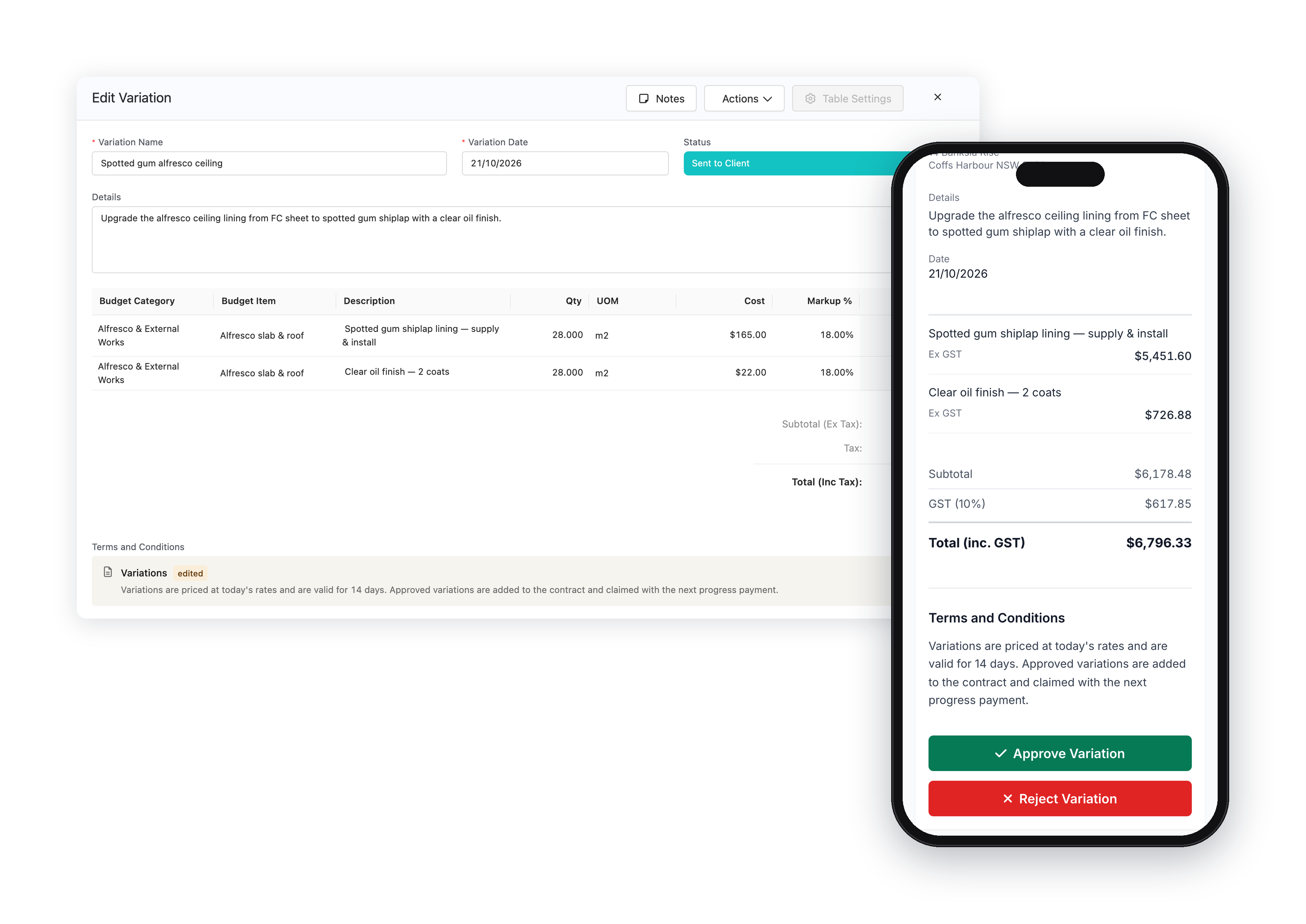
What your client sees
Your client opens the variation from a link, sees exactly what is changing and what it costs, and approves or rejects it with a signature. Their answer lands back in Core Estimator straight away.
 Rated 5.0 on Google
"Our business requires a very smart estimating package for detailed architectural homes, and Core Estimator delivers this in spades."
Mark Loader — Director, Bricon PTY LTD
"The software has helped me win jobs with better quote presentation, while also saving time and improving my estimating system."
Matt Petrou