Financials
Turn a priced estimate into a live budget, then track purchase orders, bills, timesheets, variations and invoices against it, with Xero kept in sync.
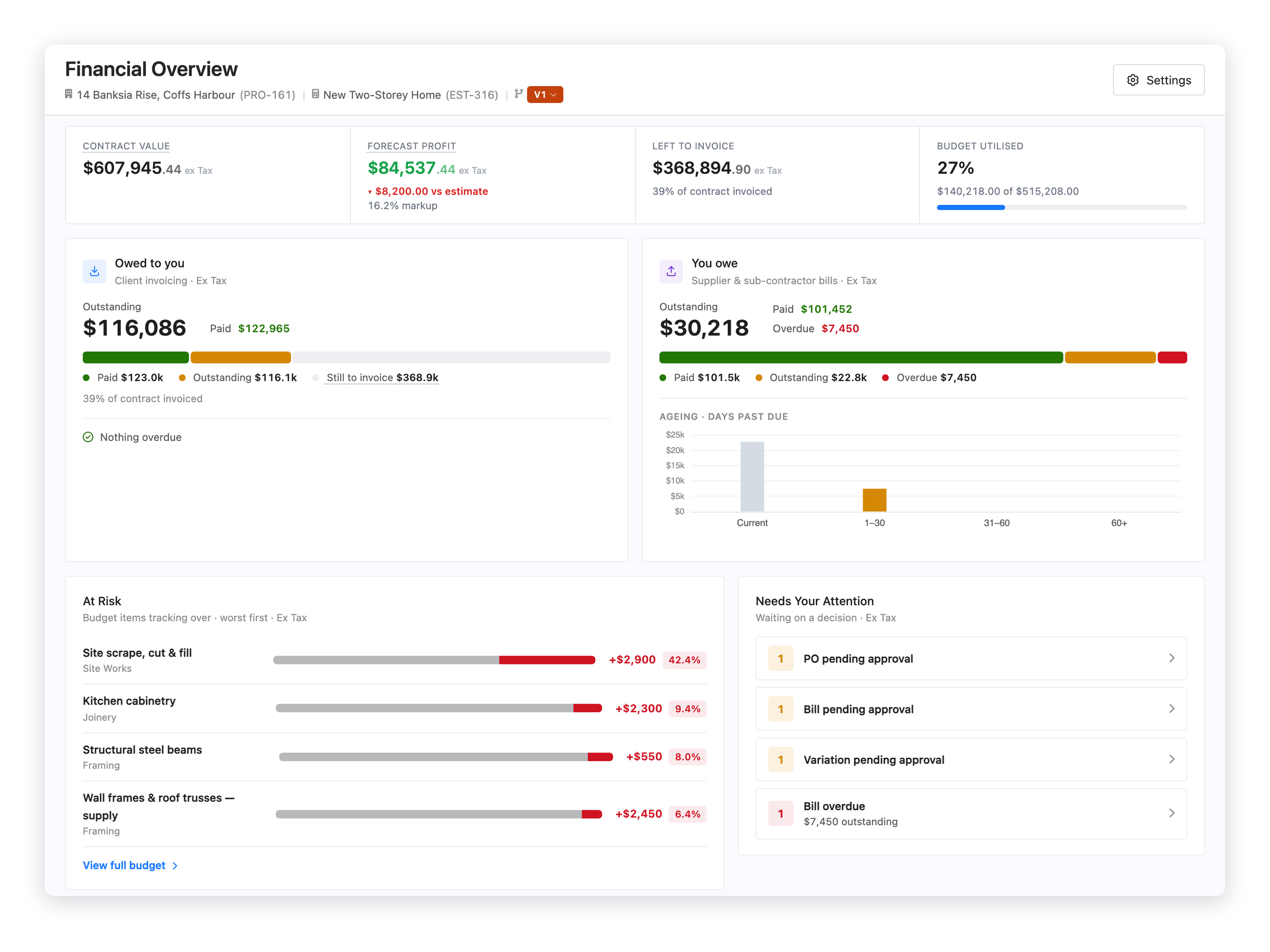
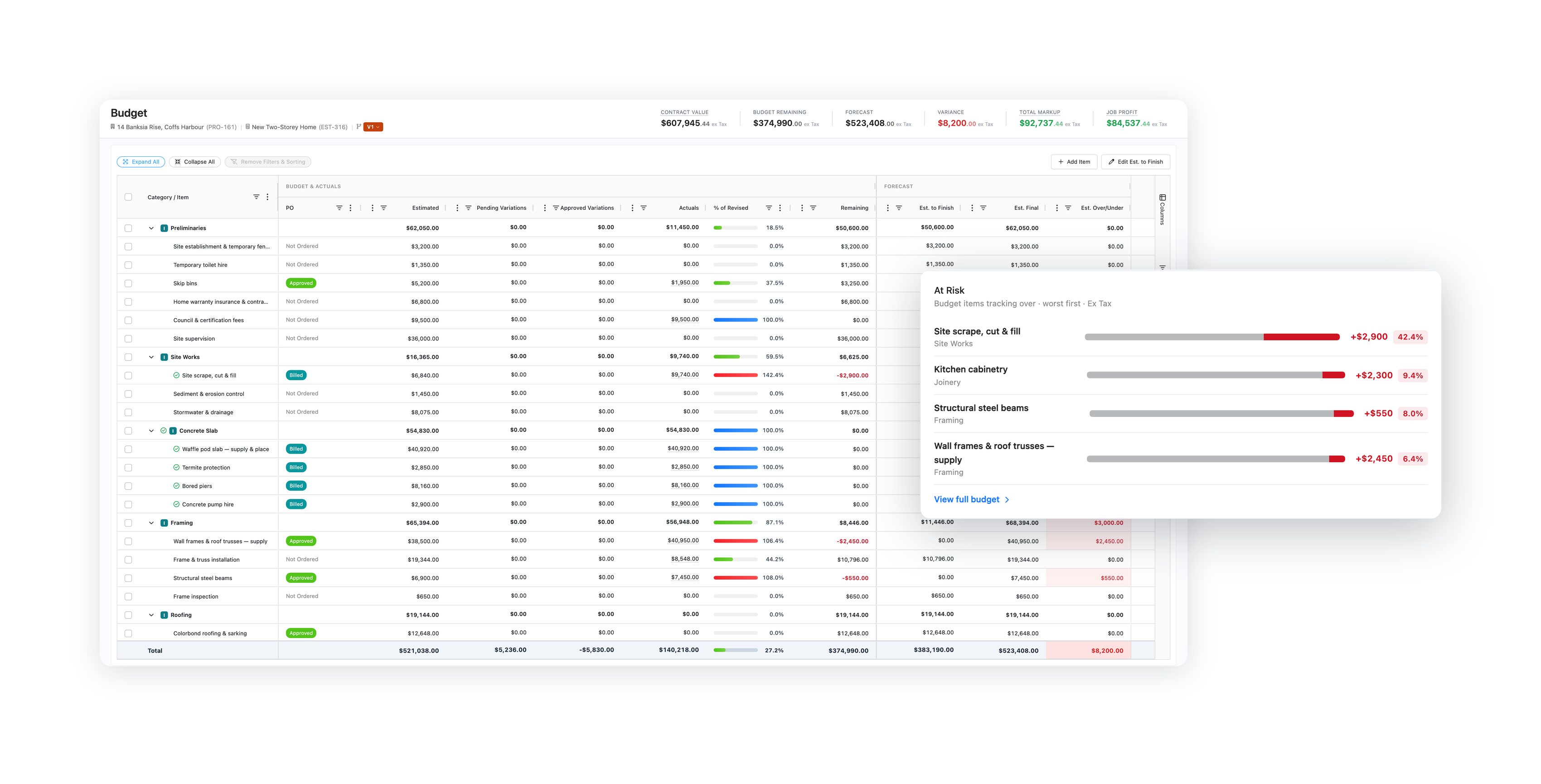
Your estimate becomes the budget, with actuals, orders and variations landing against every line.
Explore project budget
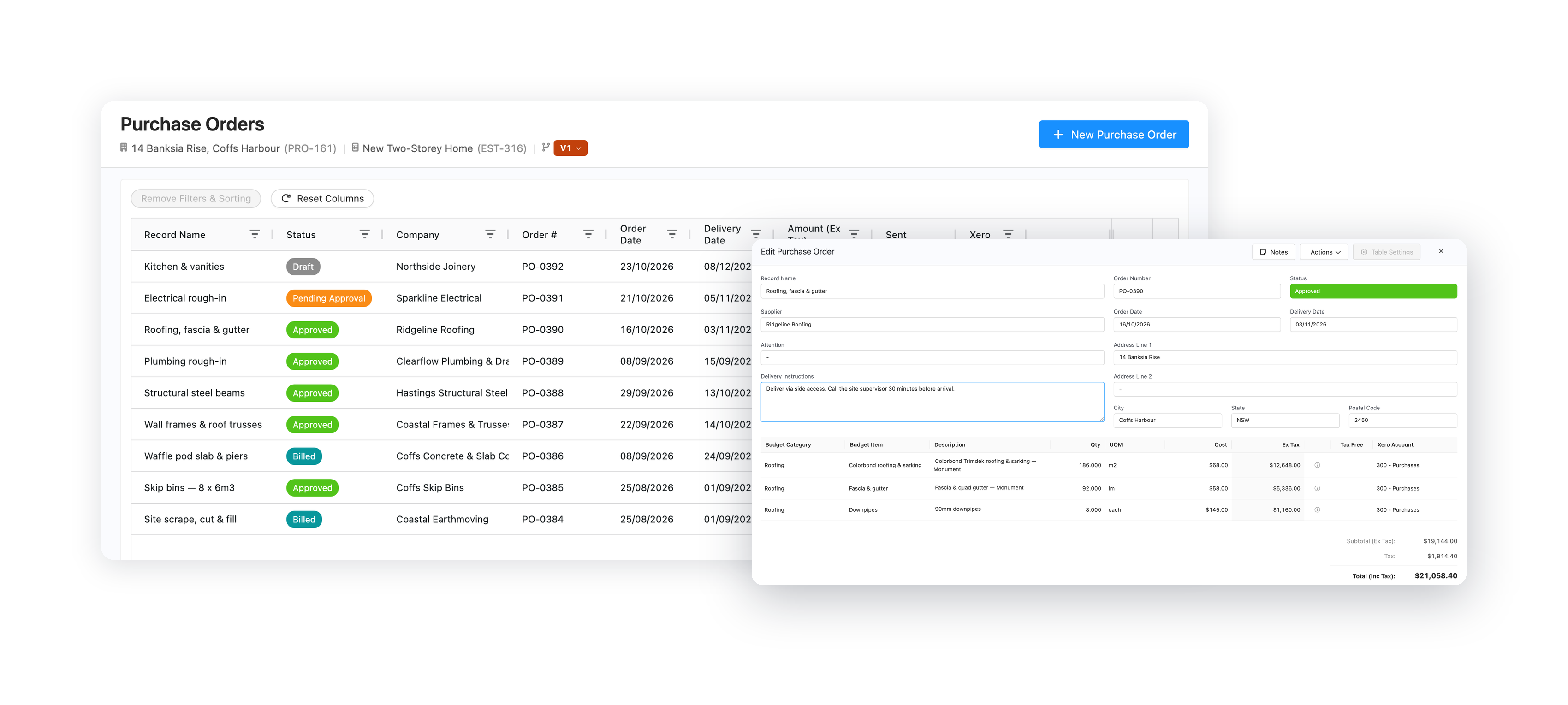
Raise orders from the budget and send them to suppliers as a PDF or web link.
Explore purchase orders
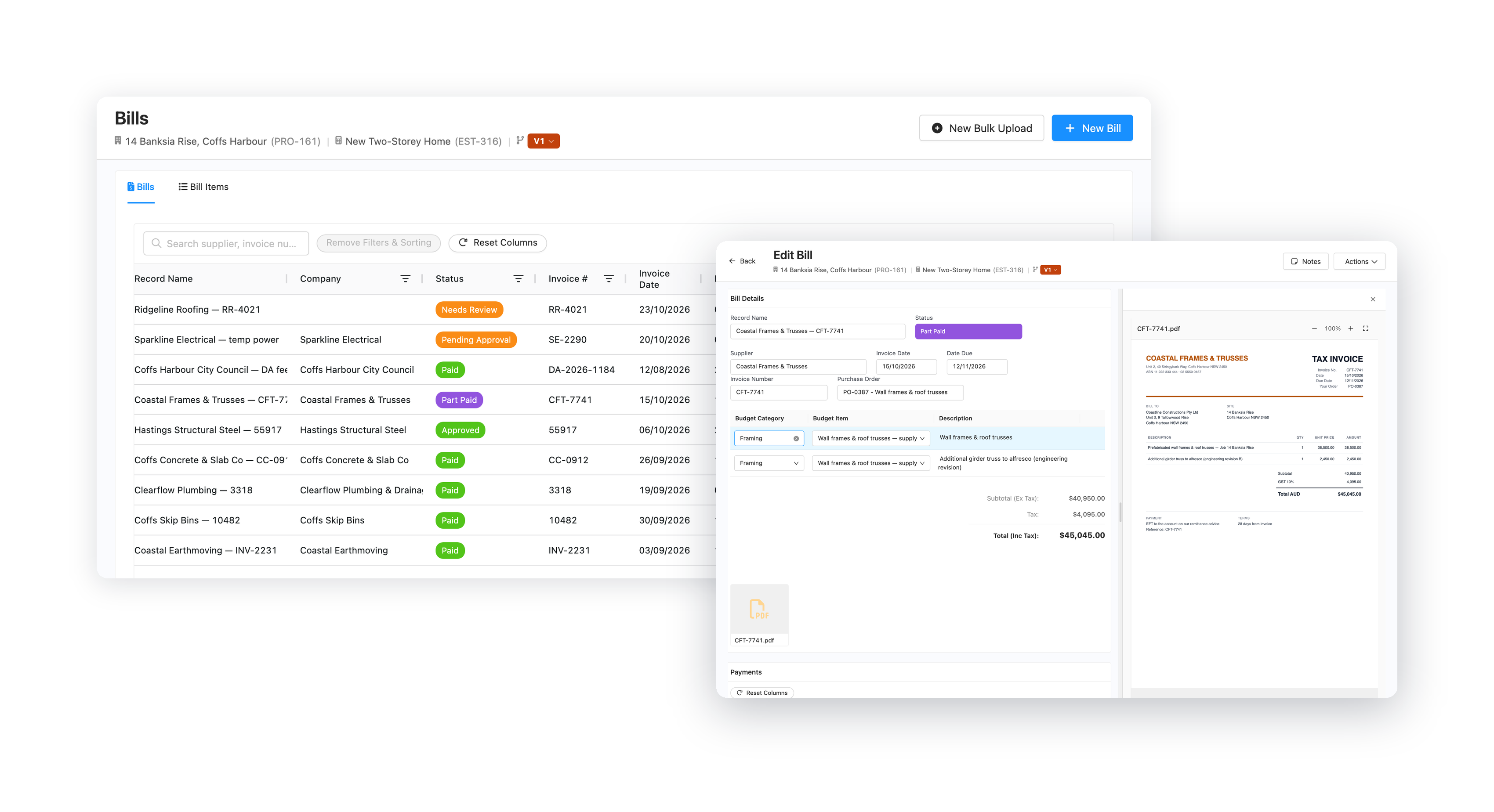
Book supplier invoices to the budget, approve them and record the payments.
Explore bills
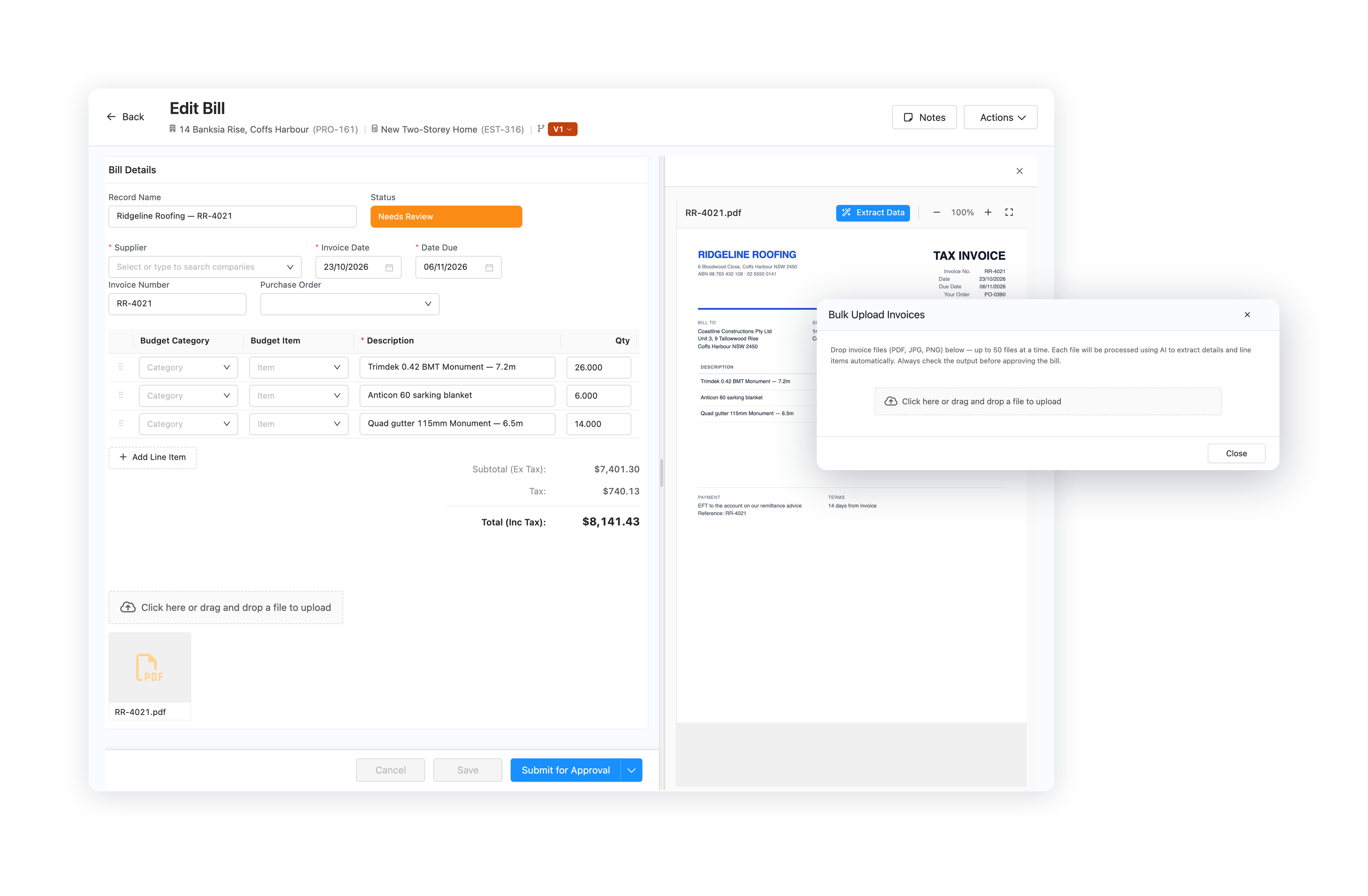
Upload supplier invoices and let AI read the numbers, dates and line items for you.
Explore AI bill capture
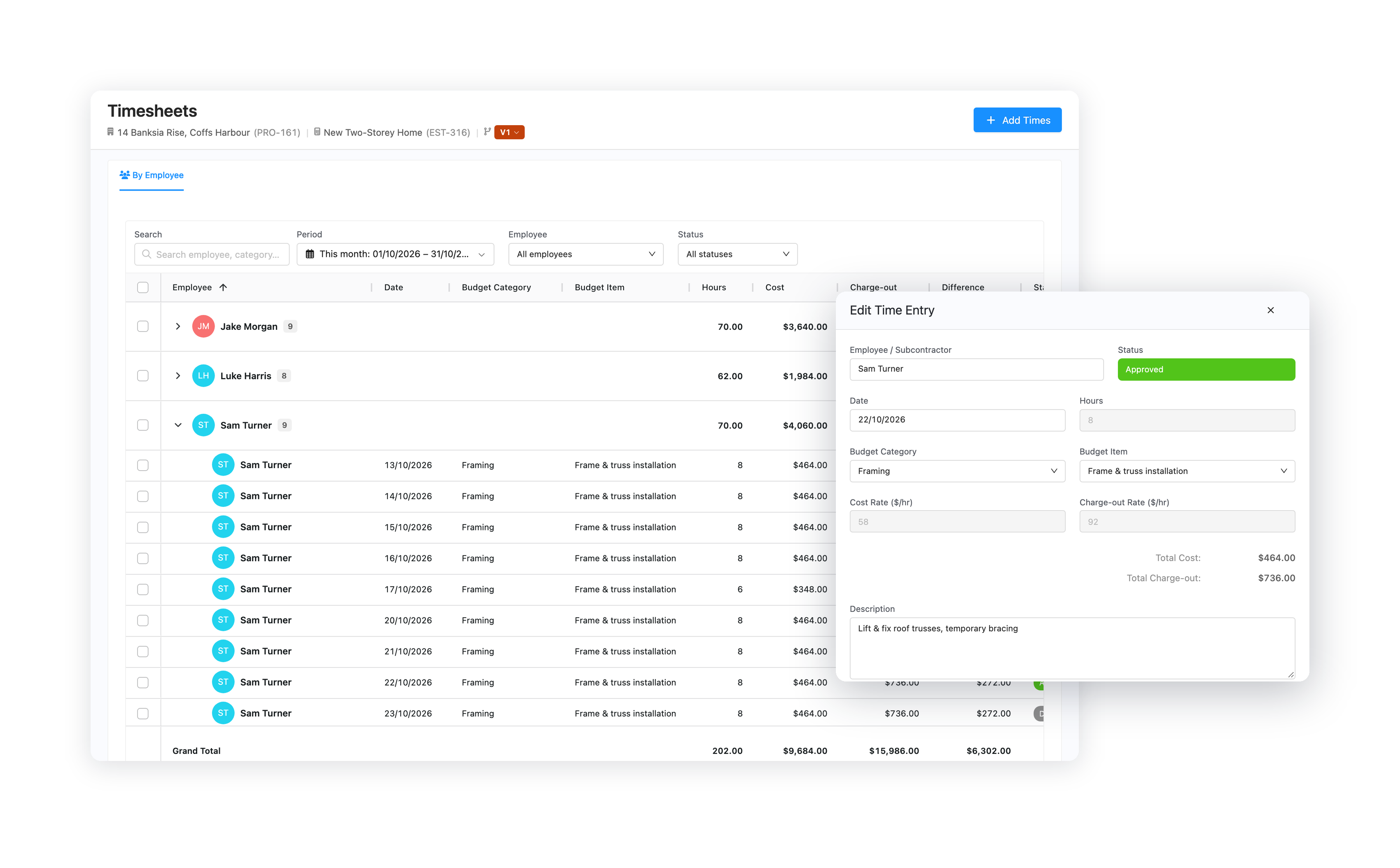
Record your crew's hours at cost and charge-out rates, and bill them on cost plus jobs.
Explore timesheets
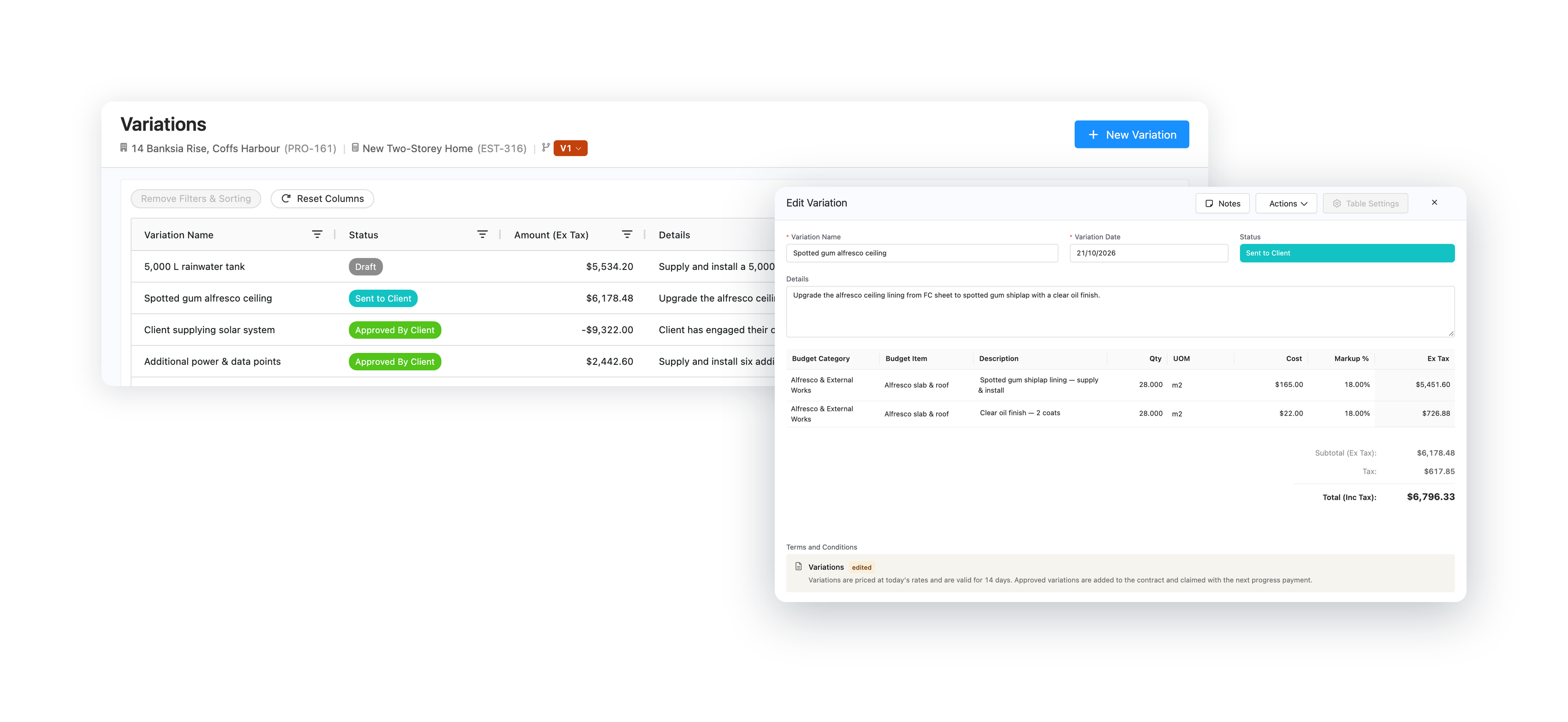
Price changes against the budget and have clients approve them online.
Explore variations
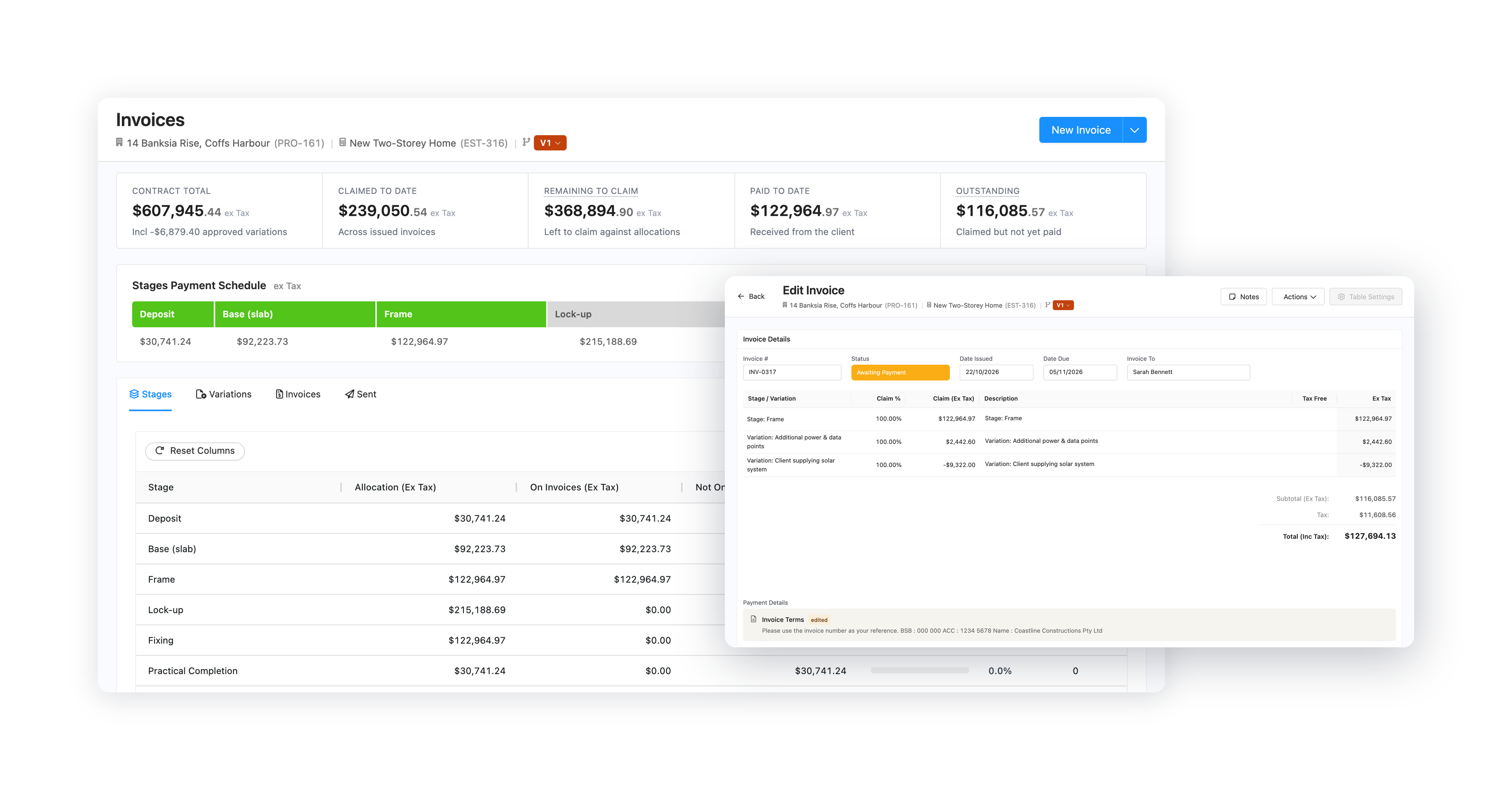
Progress claims, cost plus invoices and credit notes, with every payment tracked.
Explore invoicing
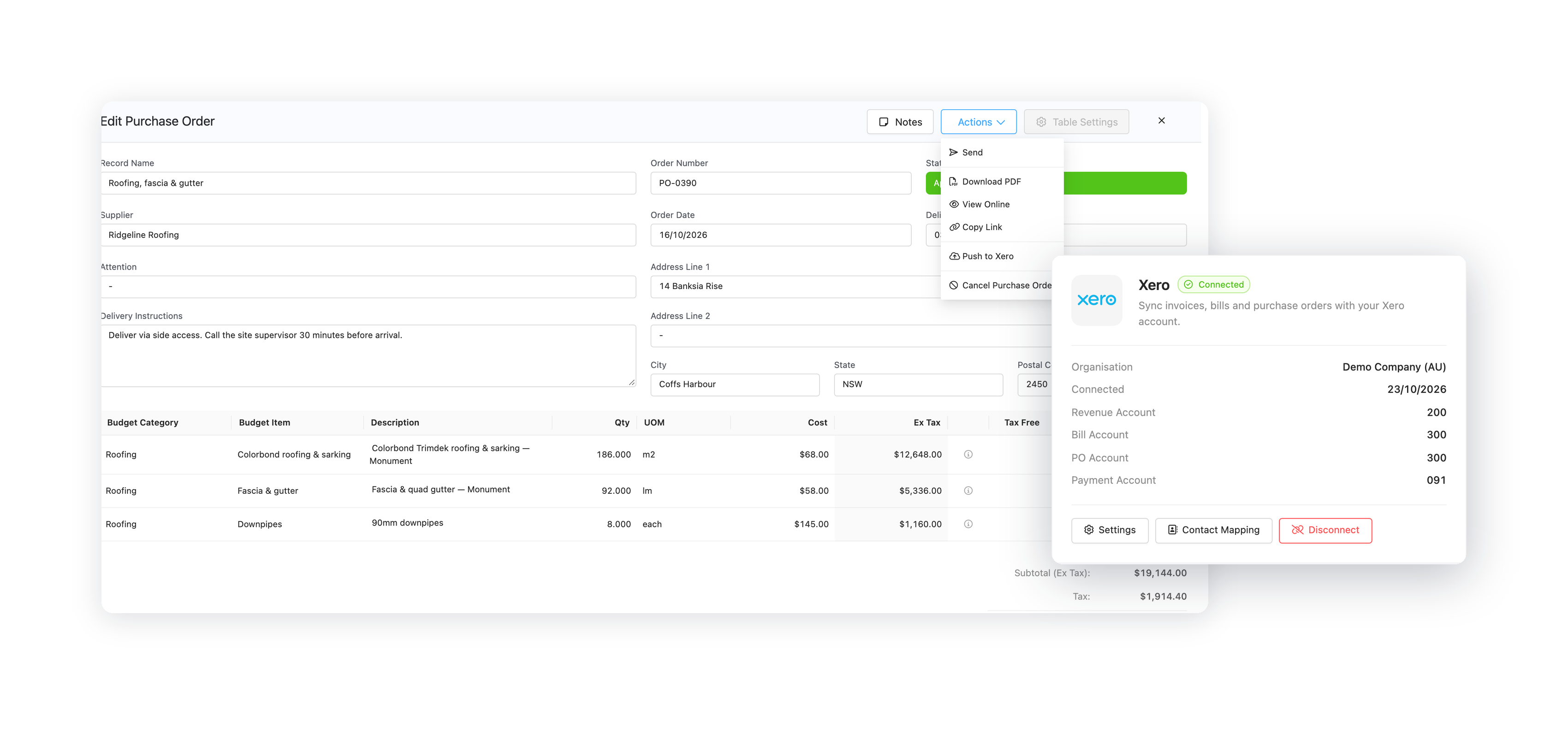
Push invoices, bills and orders to Xero and keep payments in sync both ways.
Explore Xero integration
Works with Xero
Invoices, credit notes, bills and purchase orders go to Xero as the matching record.
Paid in Xero shows as paid here, and payments you record here reach Xero.
Account codes come from the line, the supplier or your default, and each line carries the right tax rate.