For Estimators

Faster Takeoffs. Estimates You Can Stand Behind.

Measure in 2D or 3D, price from live price lists and assemblies, and catch mistakes before the client does.
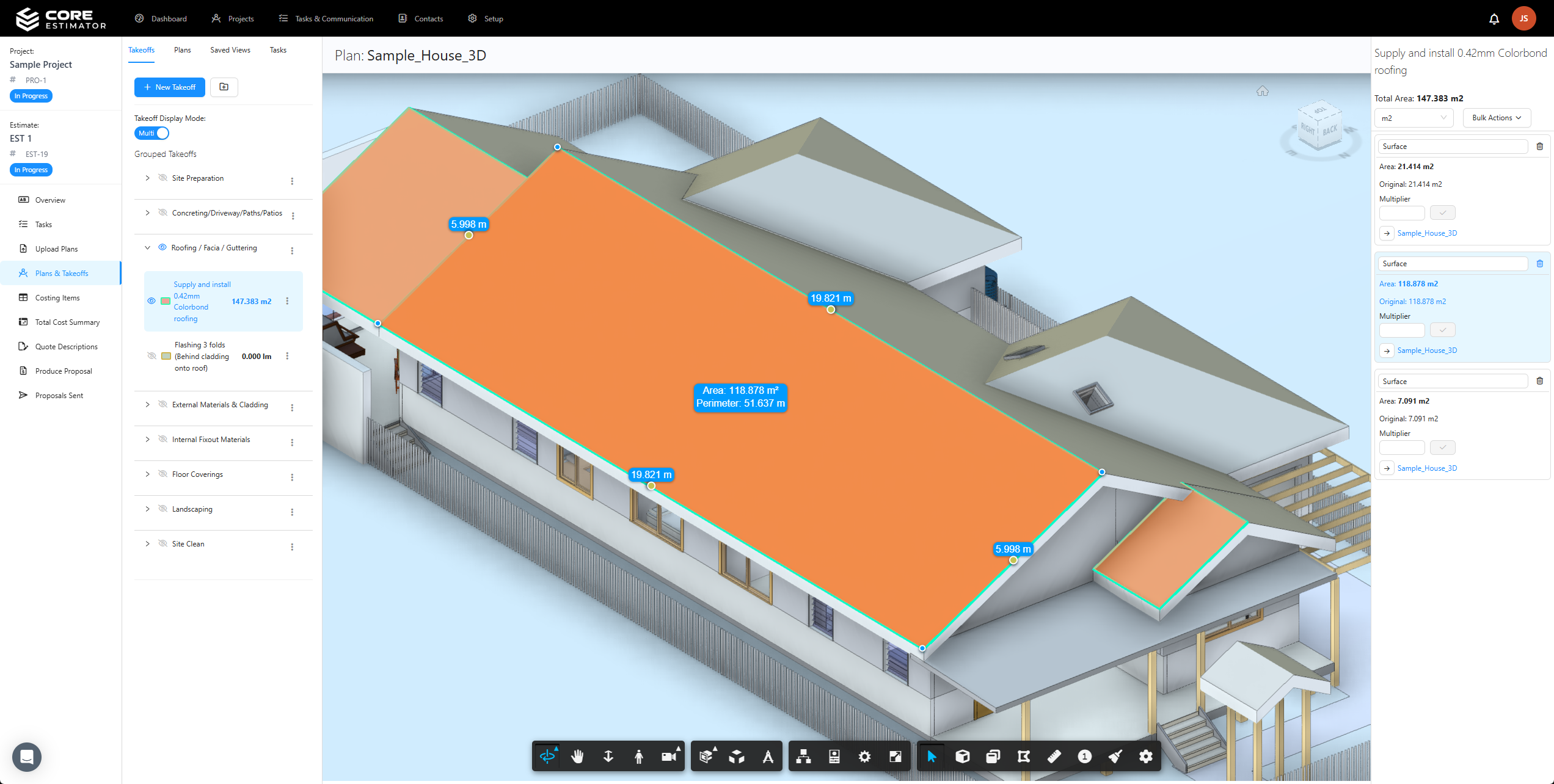
A 3D takeoff in Core Estimator

“Six months in with Core Estimator and it’s hands down the best quoting tool we’ve ever used. It’s helped us deliver precise, consistent pricing across every project.”

Neville OYL Constructions

Takeoffs

Measure faster, in 2D or 3D

Measure on PDF plans or straight off the model, with every quantity linked live to the estimate.
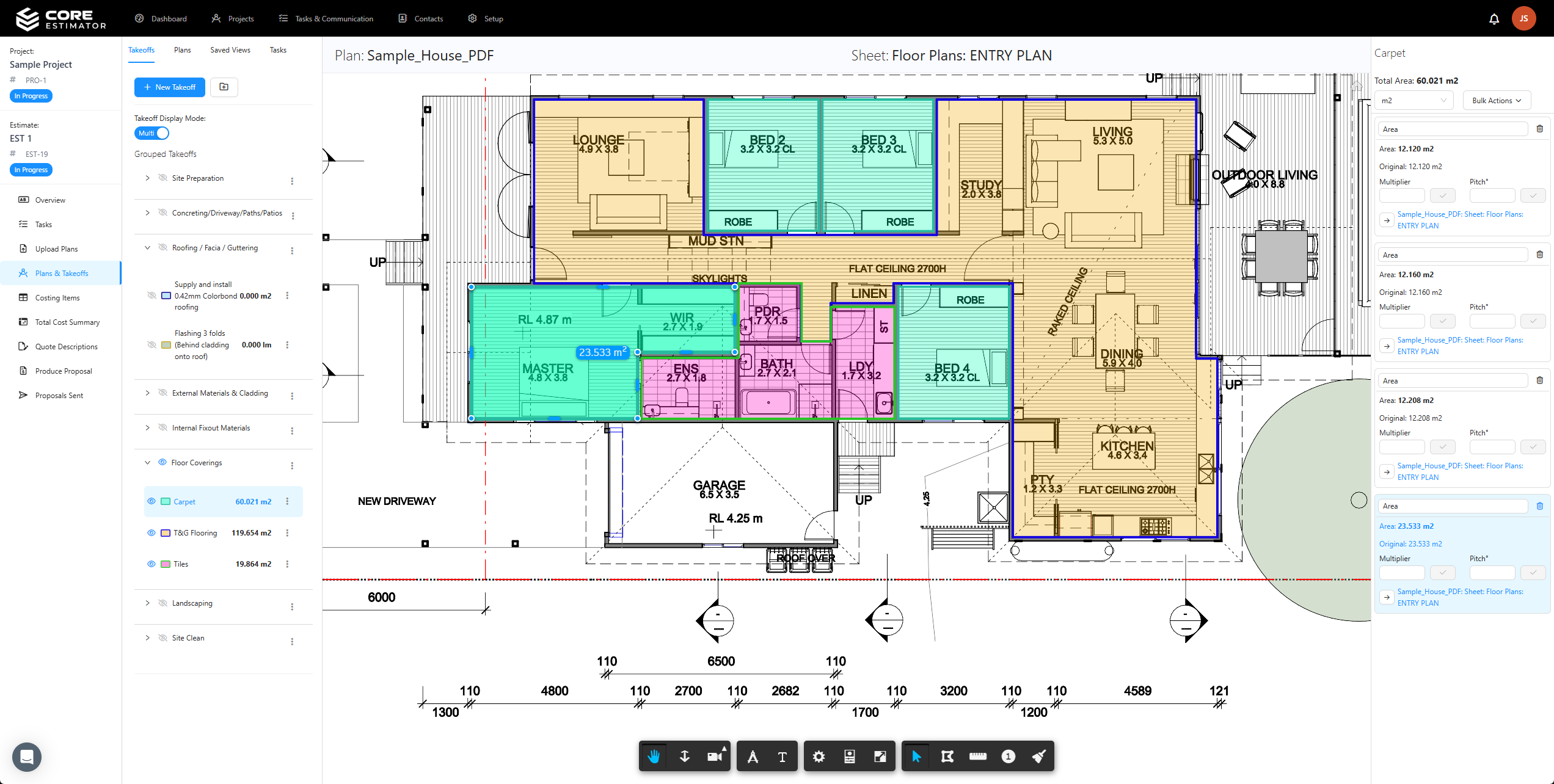
2D takeoffs.
Areas, lengths, counts and pitched roofs on any plan.
3D takeoffs.
Pick quantities straight off the model instead of tracing it in 2D.
Live links.
Change a takeoff and the estimate updates with it.
Explore takeoffs
A 2D takeoff on a floor plan in Core Estimator

Pricing

Build it once, price it every time

Keep your rates and builds in one place so every estimate starts from the same numbers.

Price lists.
Multiple lists for different suppliers, clients and types of job.
Assemblies.
Reusable builds priced per unit, made up of their parts.
Cost codes.
Group costs the way your business reports them.
Explore price lists

“Since I started using this estimating software, quoting has been so much easier.”

Corey Yeo

Checking

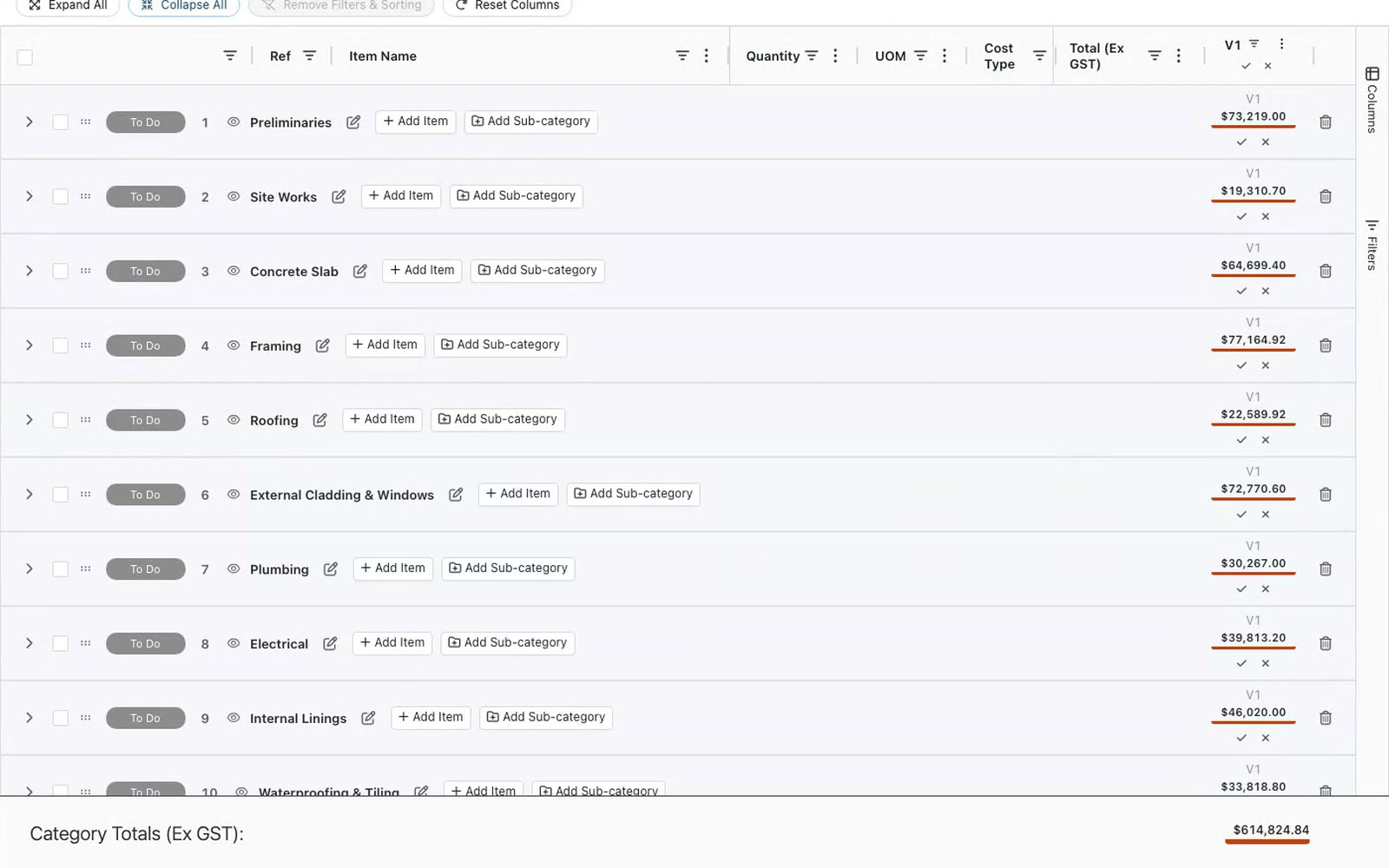
Catch it before the client does

Built-in checks and versions mean the estimate that goes out is the one you meant to send.
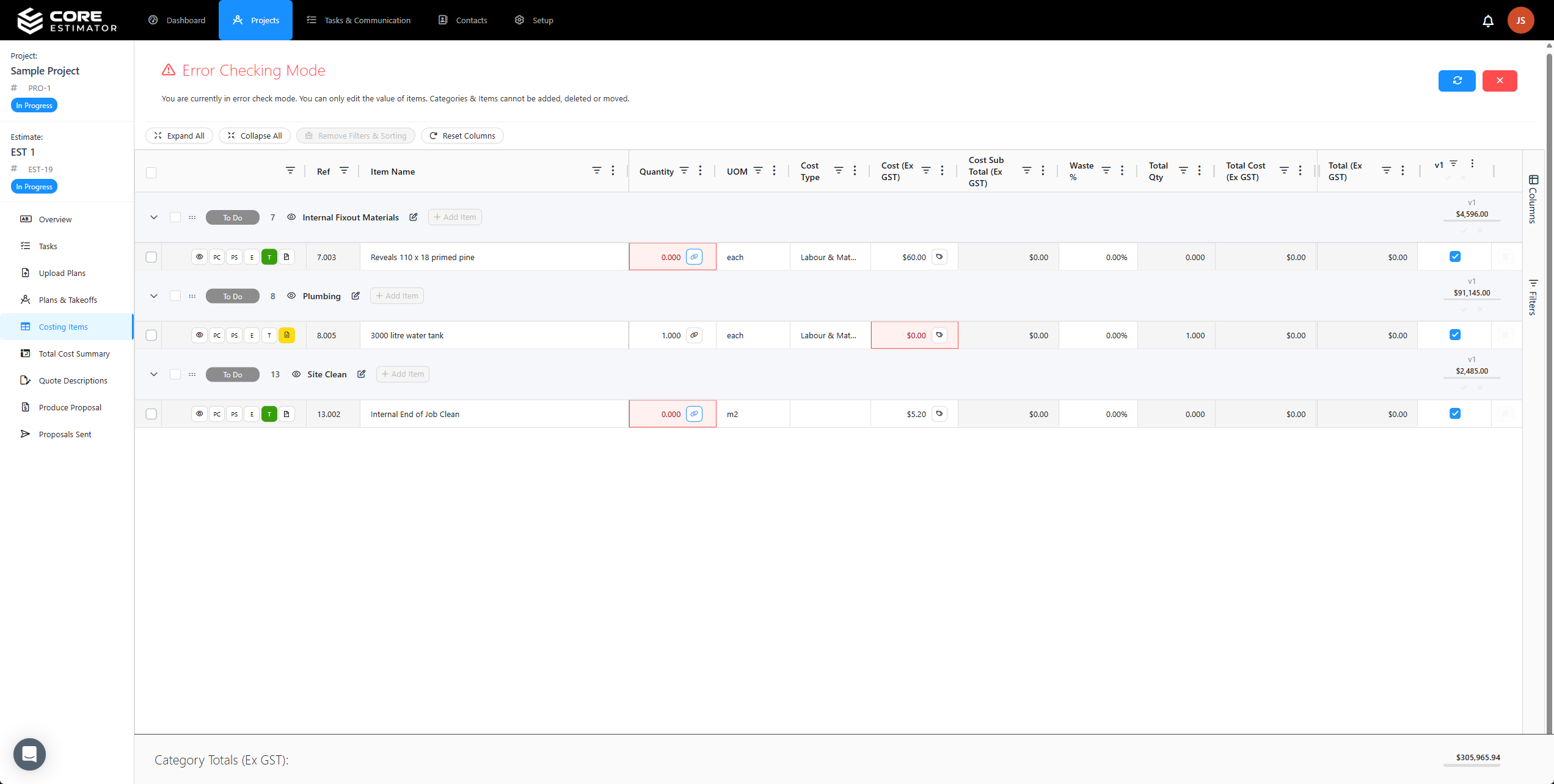
Error checking.
Flags any item with a blank or zero cost or quantity, before the quote goes out.
Versions.
Compare options and margins side by side without starting over.
Straight into the proposal.
The checked estimate becomes a branded proposal, with no copying across.
Explore error checking
Core Estimator error checking on an estimate

After the estimate

Your estimate keeps working after it’s won

Proposal

Priced straight from the estimate, as a web link or PDF.

Budget

The winning version becomes the job budget, line for line.

AI Connect

Ask Claude or ChatGPT to read, chart and update your estimates.

Questions

Yes. Measure straight off the 3D model, or use 2D takeoffs on PDF plans when there isn’t one.
Yes. Link a takeoff to an item and its quantity updates whenever the takeoff changes.
Yes. Create versions of an estimate to price options and compare their totals and margins.

Ready to speed up your estimating?